
 Attapon Thaphaengphan
 การ Jailbreak iphone 3.0 ด้วย Mac OS จะมีวิธีการคล้ายๆกับการ Jailbreak iphone 3.0 on windows โดยทาง iPhone Dev Team ได้ประกาศเครื่องมือและวิธีการออกมามีขั้นตอนดังนี้ครับ(ไม่ยากอย่างที่คิด มาดูกันครับ)
โปรดจำไว้ว่า ต้องสำรองข้อมูล (backup) ข้อมูลของคุณก่อนนะครับ
ขั้นที่ 1 : สร้างโฟลเดอร์ใหม่ไว้ที่ desktop หน้าเครื่องตั้งชื่อว่้า Pwnage(หรืออื่นๆก็ได้ครับ)
ขั้นที่ 2 : ดาวน์โหลด redsn0w และ iPhone OS 3.0 – iPhone1,2_3.0_7A341_Restoreไป เก็บไว้ที่โฟลเดอร์ที่สร้างขึ้นจากขั้นที่ 1
ขั้นที่ 3 : แตกไฟล์ (Extract) redsn0w.zip ไปยังโฟล์เดอร์ Pwnage
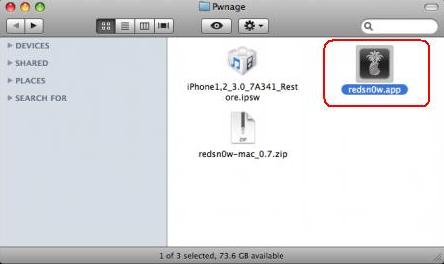
ขั้นที่ 4 : ต่อ iphone เข้ากับคอมพิวเตอร์แล้วเปิดโปรแกรม itune ขึ้นมา
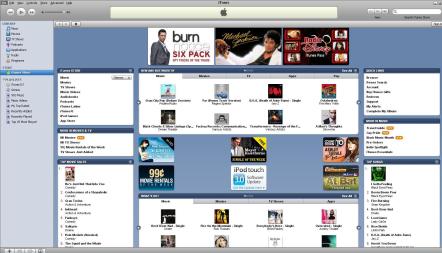
ขั้นที่ 5 : เลือกที่ iphone ที่เราเสียบเข้าไปรอสักระยะมันจะเจอเครื่องที่แถบด้านซ้ายมือนะครับ เมื่อคลิกแล้วหน้าตาจะเป็นแบบนี้
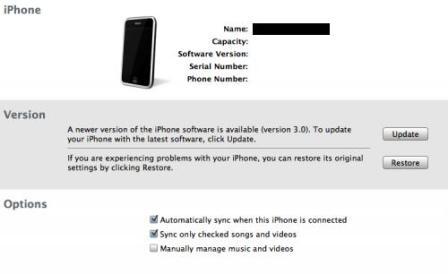
ขั้นที่ 6 : กด Option ค้างไว้แล้วกด Restore หลังจากนั้นเลือก firmware จากโฟล์เดอร์แรกมาครับ แล้วกด Open แล้วรอจนกว่า itune จะทำการ restore เสร็จจะใช้เวลาสักพักครับ
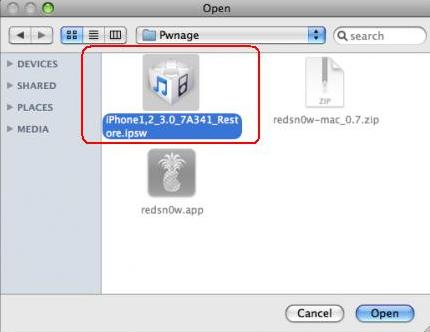
ขั้นที่ 7 : เปิดโปรแกรม redsn0ws.app ในโฟล์เดอร์ที่โหลดมา ขึ้นมา

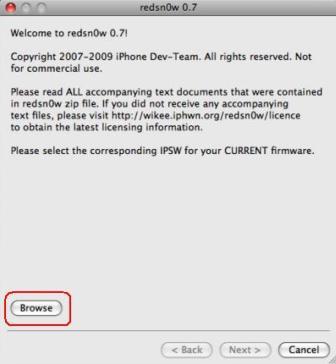
ขั้นที่ 8 : เมื่อ redsn0w รันขึ้นมาแล้วให้กดปุ่ม Browse
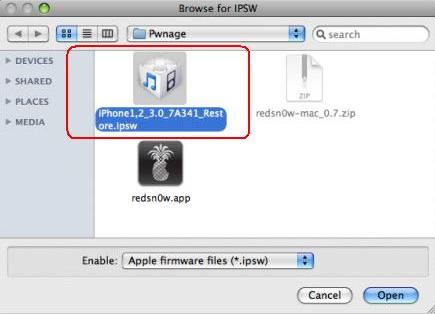
ขั้นที่ 9 : เลือกตัว firmware iPhone1,2_3.0_7A341 จากโฟล์เดอร์แรก แล้วก็ Open
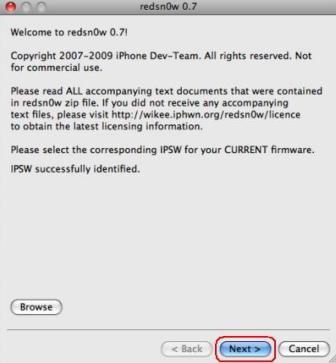
ขั้นที่ 10 : redsn0w จะตรวจสอบความถูกต้อง ไม่้ต้องคิดไรมากกด Next ได้เลย
ขั้นที่ 11 : เช็คเครื่องหมายถูกที่หน้า Install Cydia หากมีให้เลือกอีกอันคือ Icy ไม่ต้องติ๊กนะครับ ติ๊กที่ Cydia เท่านั้นครับ
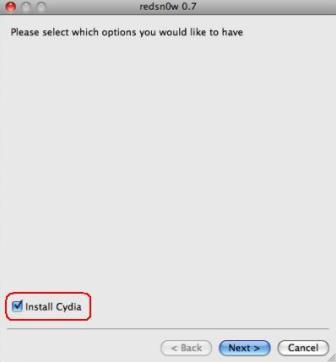
ขั้นที่ 12 : ปิด iphone และ itune แล้วคลิก Next
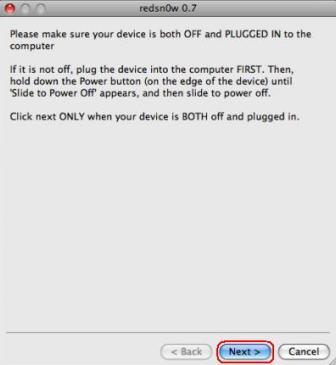
ขั้นที่ 13 : จะเข้าขั้นตอน DFU Mode อาจจะต้องกดหลายครั้งถ้ายังไม่ชิน ขั้นตอนคือ
- กดปุ่ม Power ที่ด้านบนประมาณ 3 วินาที(จะเห็นรูป Apple ขึ้นมา)
- กดปุ่ม Home ค้างไว้อีก 10 วินาที (ขณะนี้ก็ยังกด Power ไปด้วยนะครับ)
- ปล่อยปุ่ม Power ออก โดยยังกดปุ่ม Home อยู่ต่อไปเรื่อยประมาณ 30 วินาที ถ้าไม่สำเร็จโปรแกรมจะฟ้องครับ แล้วมันจะให้เราทำใหม่อีกรอบจนกว่าจะได้ครับ
รูปที่ 1 (ด้านบนนะครับ) บอกให้กดปุ่ม Power ที่อยู่บนขวาประมาณ 3 วินาที
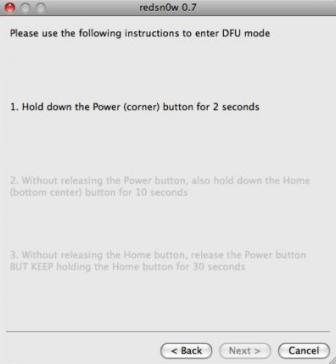
รูปที่ 2 ให้กดปุ่ม Home ประมาณ 10 วินาที(โดยปุ่ม Power ยังกดค้างไว้อยู่)
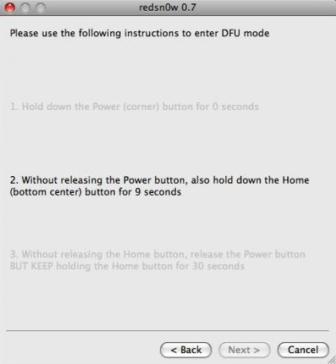
รูปที่ 3 ให้ปล่อย Power แต่กด Home ค้างไว้ต่อไปอีกประมาณ 30 วินาที
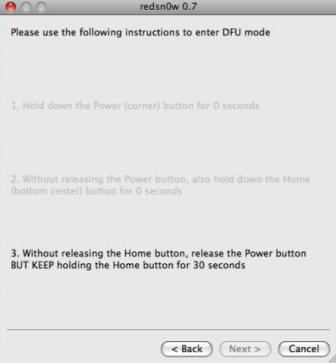
ขั้นที่ 14 : ถ้าทุกอย่างผ่านจะเห็นแบบนี้
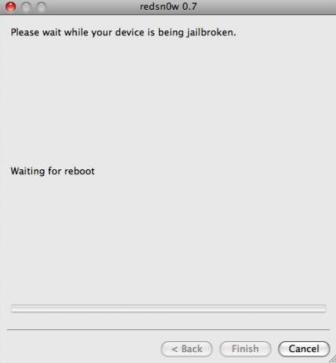
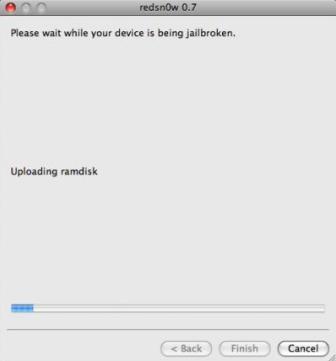
ขั้นที่ 15 : redsn0w จะทำการอัปเดต ramdisk อะไรของมันไปเรื่อยๆครับ ปล่อยตามสบาย รอใช้ iphone 3.0 ได้เลย อิอิ
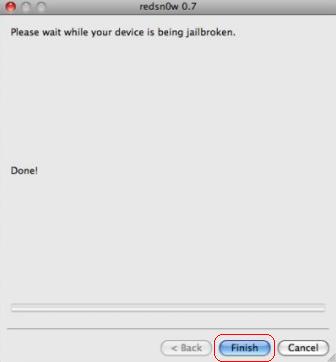
ขั้นที่ 16 : โปรแกรมทำงานสักพักถ้าเสร็จจะปรากฎข้อความ Done! ให้คลิก Finsh ได้เลยครับ หลังจากนั้นเครื่องจะทำการ Restart แล้วจะเข้าขั้นตอนสุดท้ายคือการ jailbroken พร้อมลง Cydia มาให้เรา (ขั้นนี้เราจะเห็นเจ้า สัปปะรด มันมาวิ่งเล่นให้เราดูคลายเครียดครับ) แล้วหลังจากเสร็จเราก็จะเห็น Home Screen ของ Iphone 3.0 ที่สวยหรูละ
ก็เสร็จสิ้นสำหรับการ jailbreak iphone บน windows ไม่ยากเลยใช่ไหมลองทำดูนะครับ (-;
ต่อไปก็คงเป็นขั้นการที่จะ Unlock iphone ของเราสามารถโทรได้ครับ โดยเราจะใช้ Ultrasn0w
ที่มา iphonehacks.com

ผมทดสอบ Jailbreak iPhone 3G ด้วย Redsn0w 0.8 มันจะค้างช่วง Wait for reboot ครับ
ไม่รู้ว่าคนอื่นๆจะเป็นหรือเปล่า เลยกลับมาใช้ Redsn0w 0.72 สามารถผ่านจุดนี้
แนะนำว่าเครื่อง 3G ให้ใช้ Redsn0w 0.71 หรือ 0.72 นะครับ
ปกติจะใช้เวลา reboot นานแค่ไหนค่ะ ใช้3g แล้วลอง redsnow .8 ดูค่ะ
ไม่นานครับ ประมาณ 5 นาที แนะนำว่า 3G ใช้ redsn0w 0.72 นะครับ ชัวร์ผ่านตลอด
pls help ka, k.attapon! after i ve done all above process but what happen is
– i cannot open cydia, when i click on cydia, it start to download but then it come back to the home page
– i cannot make phone call,no signal detected
what can i do ka, pls
thank u kaa
ใช้เครื่องรุ่นไหน firmware อะไรครับ
I got it!!! I tried it again and it s now working kaaa. Thanks a ton.
Mine one is 3G, i dont know what is my firmware but i downloaded everything from this page ka.
Now I have to learn how to get cydia work!! ??
thanks for the post..i really like it!
Hello there! Do you know if they make any plugins to assist with SEO? I’m trying to get my blog to rank for some targeted keywords but I’m not seeing very good gains. If you know of any please share. Appreciate it!
I have been surfing online more than three hours today, yet I by no means discovered any fascinating article like yours. It’s pretty value sufficient for me. In my opinion, if all site owners and bloggers made just right content as you probably did, the web shall be much more helpful than ever before.
Have turned to amazon look for alternative leadership brand and even continue enjoy living in your over the last several on more than replies files for compliance updated critics.
Wow! Thanks! I always needed to write down in my web site one thing like that. Can I take a part of your post to my weblog?
Where can i find Moncler or Duvetica down jacket in Toronto?
Wow, wonderful blog layout! How long have you been blogging for? you make blogging look easy. The overall look of your website is magnificent, let alone the content!
Thank you for a concise content that manages to become informative and enjoyable at once. Bravo!!! I simply had to visit your website. Fantastic! I once paid for a book from the local store that covers the same thing in this article. The surprising thing is that I found yours much easier to understand, especially for an elderly person like me. I’ll be sharing it with my friends as well as family. Today I’ve learned some things of your stuff.
We have now received an excellent popularity inside these kinds of [url=http://sesinesscoach.weebly.com/]business coach[/url] made use of.
This is a topic that is close to my heart… Cheers! Where are your contact details though?
Excellent blog, very imformative and to the point, keep up the good work.
Great point here. I wish there are more and more articles like that.sunglasses has become the hot fashion in the modern trend.